Troubleshooting · Helpful Guides
Email Unavailable: What Bounce and Sign-In Messages Mean
Guide details
- Written by
- Truly Helpful Guides
- Published
- Last updated
- Topics
On this page5 sections
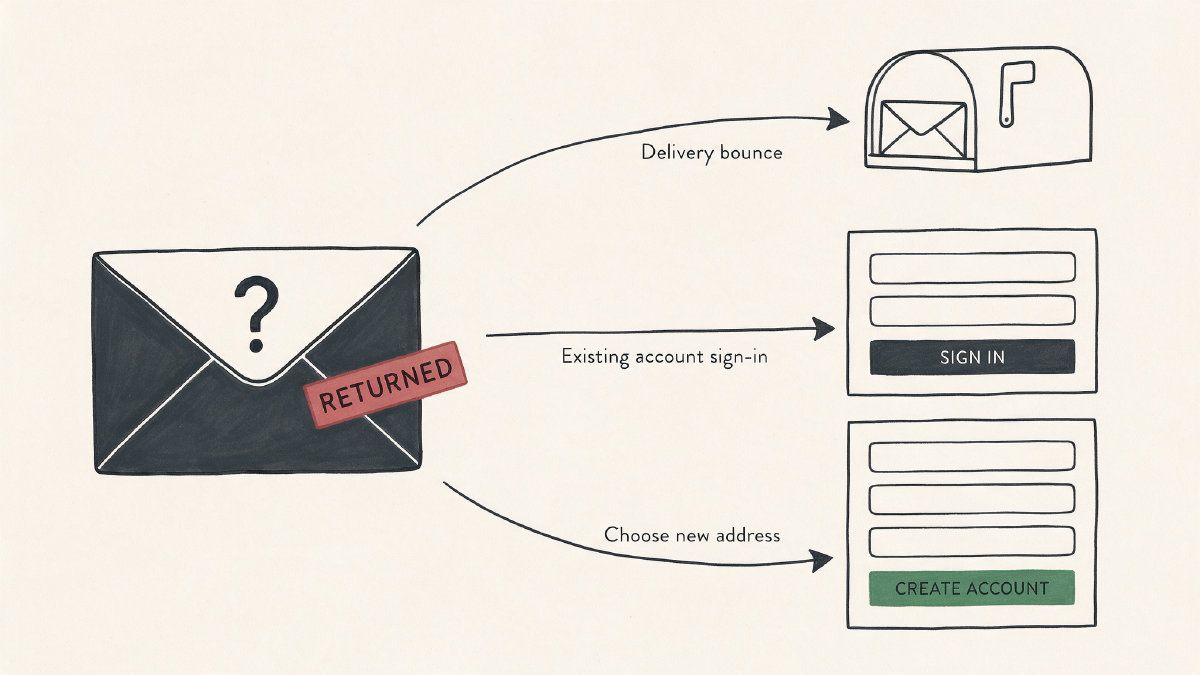
The message “email unavailable” appears on three screens:
-
An incoming bounce, such as the email from a customer.
-
The registration screen during account creation.
-
A sign-in or account recovery prompt.
In each case, “email unavailable” is a context clue rather than a single diagnosis. It’s simply an indicator that something is not correct, which may mean deletion, but it could be other things too.
Interpreting Bounce Messages
When an email bounces, it doesn’t mean that the recipient has deleted the address. That’s just how bounce messages are worded. But there are plausible reasons why a mailbox would be marked as “unavailable” without it having been closed:
-
Mistyped address
-
Closed account
-
Suspended account for abuse or compromise
-
Spam filtering
-
Mailbox quota
-
Recipient mail server problem
-
Unspecified reasons
There isn’t any certainty you can assign from this information alone. However, you can take steps to confirm what might be wrong. First, verify that you’ve used the exact recipient address. Next, contact them through another channel if possible, then wait a few hours before retrying the delivery once. If your bounce says that the sender is the problem, you can also check your own configuration. With the address correct, a 550 mailbox-unavailable bounce usually points to the recipient mailbox or receiving system, but one Verizon/AOL case was traced to an unsupported reply-to address and fixed by removing it.
What’s an Email Address Unavailable?
Microsoft doesn’t appear to support the idea that addresses are recycled after a period of time, though in its old 30-day recycle claim (which I consider historical forum information) Microsoft suggested that an email address was unavailable for 30 days when creating a new account.
You can try using the exact address, although you probably will not have to. The current inability to choose that exact address doesn’t prove that it will be released at some point down the road.
Google’s rules are a little different. Google documents that an email account closure or deletion might be reversible for a certain amount of time, but it doesn’t specify exactly how long that window is. You might want to know that Gmail allows for some recovery; however, the process and timing aren’t clear, and you cannot keep using the email sign-in. There’s no guarantee that an account will be re-registered after a waiting period. Google says deletion may become irreversible after a period, and a deleted Gmail address can no longer be used to sign in.
Sign-In and Recovery
If you’re being asked to provide an email address, it means that you’re signing into a service, either Outlook.com or OneDrive. For example, the identity verification prompt asks you to use your phone number and password, along with security code, to access a secure site or app. When an unusual sign-in activity occurs, you’ll receive a notification and must unblock the activity before proceeding. Similarly, your Outlook.com account might be temporarily blocked. You’ll need to check your Outbox or mailbox storage and clear space, because a full Outlook.com mailbox or full OneDrive storage prevents sending or receiving email.
This isn’t the same as a normal wrong-password problem.
When to Use Official Recovery
Microsoft provides an official sign-in helper where you can request a security code or change your password. Microsoft also provides several official support channels, including the ability to create a support ticket. Microsoft also supports the ability to request a new password by clicking the appropriate button, then following the instructions. Microsoft accounts can be reopened during the offered 30-day or 60-day grace period, but if they haven’t been used in more than two years, they may have been deleted and can no longer be reopened.
If you’re having problems signing into your Microsoft account, don’t try to fix someone else’s mailbox. In many cases, you’ll need to work with your email provider.
Sources
- What Does the "Mailbox Unavailable" Error Mean and How Do I Fix It? - Ask Leo!
- says my email address is unavailable. What does that mean??? - Microsoft Q&A
- Delete your Google Account - Google Account Help
- Reopen your Microsoft account | Microsoft Support
- Unblock my Outlook.com account | Microsoft Support